1
Passed
3
Failed
0
Skipped
Test Results (4 tests)
test_a06_schedule_an_ai_post[chromium]
failed
⏱️ Duration: 38.85s
❌ Error:
self = <tests.test_autopilot.TestAutopilot object at 0x7fbdd8a68970> autopilot_page = <pages.autopilot_page.AutopilotPage object at 0x7fbdd8a673d0> login_page = <pages.login_page.LoginPage object at 0x7fbdd8a66a70> publisher_page = <pages.publisher_page.PublisherPage object at 0x7fbdd8a67130> base_url = 'https://promo.com' @pytest.mark.skip_smoke @pytest.mark.skip_sanity def test_a06_schedule_an_ai_post( self, autopilot_page, login_page, publisher_page, base_url ): """ A06 Schedule an AI post Feature scenario: Given AI user is logged in When I open Planner Then I clean all scheduled posts for the current month When I click on 2 AI Post And I click the schedule button And I schedule an AI post (calendar confirm) And I complete the schedule flow on the publisher page And I click the view planner button Then I verify that user is redirected to the planner Then Assert amount of scheduled posts in planner: 1 """ login_page.login_directly(base_url, email_ai, get_password()) autopilot_page.go_to_planner(base_url) autopilot_page.clean_scheduled_posts() autopilot_page.open_ai_post(2) autopilot_page.click_schedule_button() autopilot_page.schedule_ai_post() publisher_page.select_schedule_mode() publisher_page.click_publish() publisher_page.assert_publish_review(PublisherPage.STATUS_SCHEDULE) publisher_page.confirm_publish() > autopilot_page.click_view_planner_button() tests/test_autopilot.py:333: _ _ _ _ _ _ _ _ _ _ _ _ _ _ _ _ _ _ _ _ _ _ _ _ _ _ _ _ _ _ _ _ _ _ _ _ _ _ _ _ pages/autopilot_page.py:1101: in click_view_planner_button self.page.locator(self.VIEW_PLANNER_BUTTON).wait_for( /usr/local/lib/python3.10/dist-packages/playwright/sync_api/_generated.py:20539: in wait_for self._sync( /usr/local/lib/python3.10/dist-pac
self = <tests.test_autopilot.TestAutopilot object at 0x7fbdd8a68970> autopilot_page = <pages.autopilot_page.AutopilotPage object at 0x7fbdd8a673d0> login_page = <pages.login_page.LoginPage object at 0x7fbdd8a66a70> publisher_page = <pages.publisher_page.PublisherPage object at 0x7fbdd8a67130> base_url = 'https://promo.com' @pytest.mark.skip_smoke @pytest.mark.skip_sanity def test_a06_schedule_an_ai_post( self, autopilot_page, login_page, publisher_page, base_url ): """ A06 Schedule an AI post Feature scenario: Given AI user is logged in When I open Planner Then I clean all scheduled posts for the current month When I click on 2 AI Post And I click the schedule button And I schedule an AI post (calendar confirm) And I complete the schedule flow on the publisher page And I click the view planner button Then I verify that user is redirected to the planner Then Assert amount of scheduled posts in planner: 1 """ login_page.login_directly(base_url, email_ai, get_password()) autopilot_page.go_to_planner(base_url) autopilot_page.clean_scheduled_posts() autopilot_page.open_ai_post(2) autopilot_page.click_schedule_button() autopilot_page.schedule_ai_post() publisher_page.select_schedule_mode() publisher_page.click_publish() publisher_page.assert_publish_review(PublisherPage.STATUS_SCHEDULE) publisher_page.confirm_publish() > autopilot_page.click_view_planner_button() tests/test_autopilot.py:333: _ _ _ _ _ _ _ _ _ _ _ _ _ _ _ _ _ _ _ _ _ _ _ _ _ _ _ _ _ _ _ _ _ _ _ _ _ _ _ _ pages/autopilot_page.py:1101: in click_view_planner_button self.page.locator(self.VIEW_PLANNER_BUTTON).wait_for( /usr/local/lib/python3.10/dist-packages/playwright/sync_api/_generated.py:20539: in wait_for self._sync( /usr/local/lib/python3.10/dist-pac
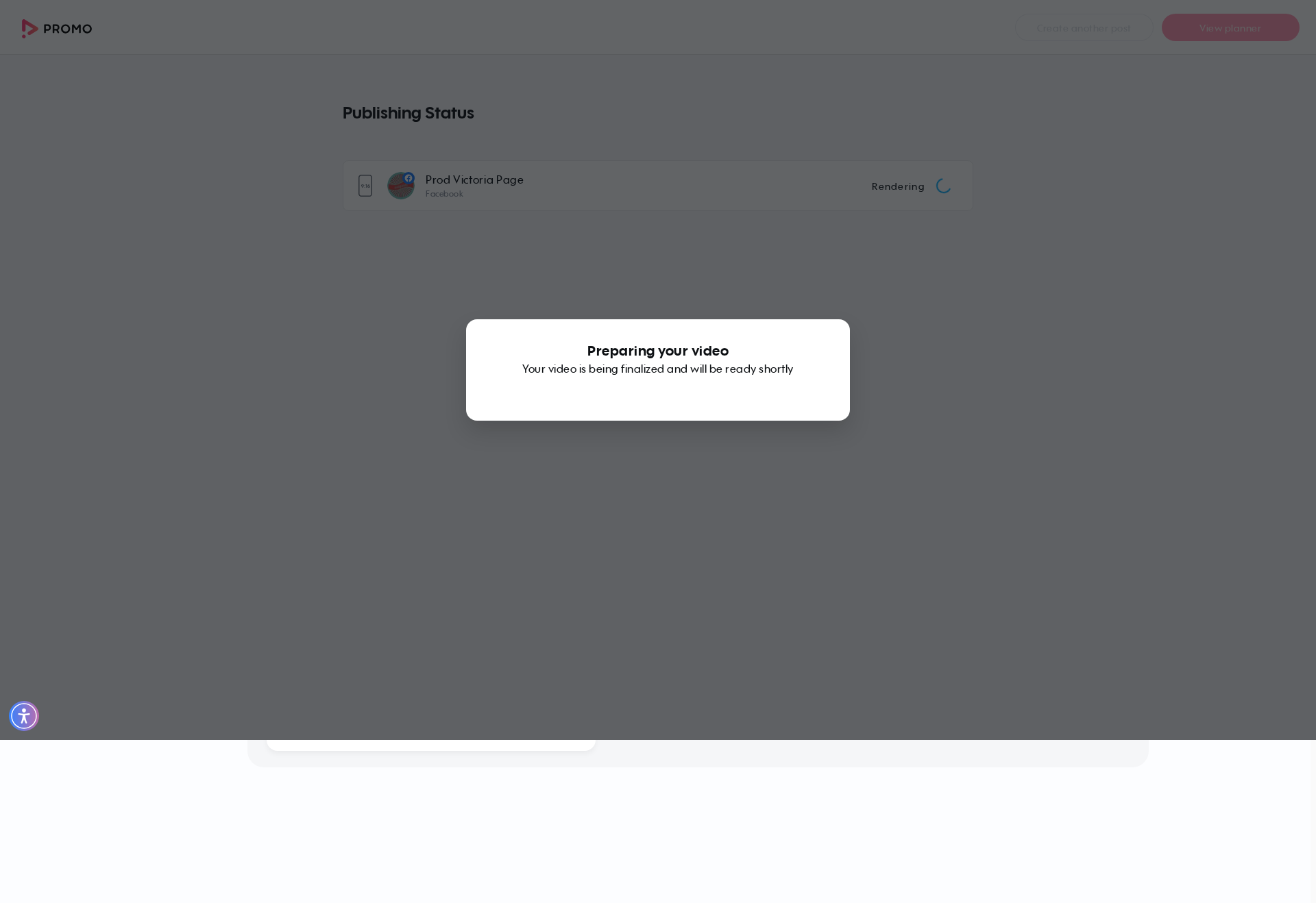
📸 Failure Screenshot:
test_a09_redirect_to_publish_page_via_preview_buttons[chromium-export-cbe]
passed
⏱️ Duration: 73.76s
test_a09_redirect_to_publish_page_via_preview_buttons[chromium-upload_to-voice]
failed
⏱️ Duration: 134.53s
❌ Error:
self = <tests.test_autopilot.TestAutopilot object at 0x7fbdd8a69030> autopilot_page = <pages.autopilot_page.AutopilotPage object at 0x7fbdd2e31a50> login_page = <pages.login_page.LoginPage object at 0x7fbdd2e33820> base_url = 'https://promo.com', button_key = 'upload_to', option = 'voice' @pytest.mark.skip_smoke @pytest.mark.parametrize("button_key,option", [ ("export", "cbe"), ("upload_to", "voice"), ("embed", "regenerate"), ]) def test_a09_redirect_to_publish_page_via_preview_buttons( self, autopilot_page, login_page, base_url, button_key, option ): """ A09 Verify user is redirected to the publish page when using planner preview buttons Feature scenario (Scenario Outline): Given AI user is logged in When I open Planner Then I generate AI posts if needed When I click on 4 AI Post When I click the "<button>" button in the dropdown Then Video is being rendered Then New tab with Publish Page is opened When I open Planner via link When I click on 4 rendered AI Post Then I check that "<option>" is not available Then I remove the rendered post Examples: export/cbe | upload_to/voice | embed/regenerate """ login_page.login_directly(base_url, email_ai, get_password()) autopilot_page.go_to_planner(base_url) autopilot_page.ensure_ai_posts_exist() autopilot_page.open_ai_post(4) > autopilot_page.click_dropdown_button_open_publish(button_key) tests/test_autopilot.py:415: _ _ _ _ _ _ _ _ _ _ _ _ _ _ _ _ _ _ _ _ _ _ _ _ _ _ _ _ _ _ _ _ _ _ _ _ _ _ _ _ pages/autopilot_page.py:985: in click_dropdown_button_open_publish self.page.locator(self.PUBLISH_TO_SOCIAL).wait_for(state="visible", timeout=self.T_NETWORK) /usr/local/lib/python3.10/dist-packages/playwright/sync_api/_generated.py:20539: in wait_for self._sync( /usr/local/li
self = <tests.test_autopilot.TestAutopilot object at 0x7fbdd8a69030> autopilot_page = <pages.autopilot_page.AutopilotPage object at 0x7fbdd2e31a50> login_page = <pages.login_page.LoginPage object at 0x7fbdd2e33820> base_url = 'https://promo.com', button_key = 'upload_to', option = 'voice' @pytest.mark.skip_smoke @pytest.mark.parametrize("button_key,option", [ ("export", "cbe"), ("upload_to", "voice"), ("embed", "regenerate"), ]) def test_a09_redirect_to_publish_page_via_preview_buttons( self, autopilot_page, login_page, base_url, button_key, option ): """ A09 Verify user is redirected to the publish page when using planner preview buttons Feature scenario (Scenario Outline): Given AI user is logged in When I open Planner Then I generate AI posts if needed When I click on 4 AI Post When I click the "<button>" button in the dropdown Then Video is being rendered Then New tab with Publish Page is opened When I open Planner via link When I click on 4 rendered AI Post Then I check that "<option>" is not available Then I remove the rendered post Examples: export/cbe | upload_to/voice | embed/regenerate """ login_page.login_directly(base_url, email_ai, get_password()) autopilot_page.go_to_planner(base_url) autopilot_page.ensure_ai_posts_exist() autopilot_page.open_ai_post(4) > autopilot_page.click_dropdown_button_open_publish(button_key) tests/test_autopilot.py:415: _ _ _ _ _ _ _ _ _ _ _ _ _ _ _ _ _ _ _ _ _ _ _ _ _ _ _ _ _ _ _ _ _ _ _ _ _ _ _ _ pages/autopilot_page.py:985: in click_dropdown_button_open_publish self.page.locator(self.PUBLISH_TO_SOCIAL).wait_for(state="visible", timeout=self.T_NETWORK) /usr/local/lib/python3.10/dist-packages/playwright/sync_api/_generated.py:20539: in wait_for self._sync( /usr/local/li
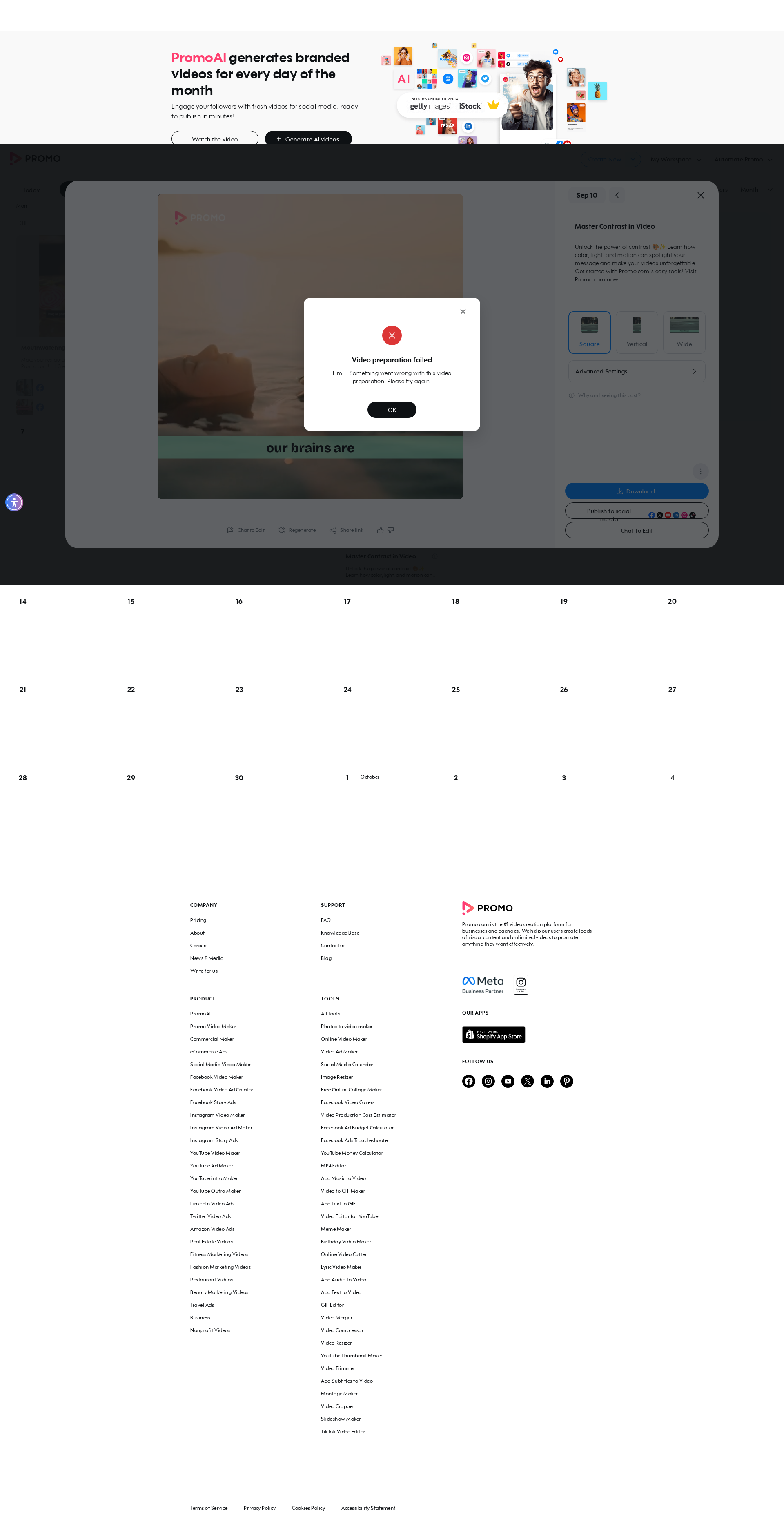
📸 Failure Screenshot:
test_a09_redirect_to_publish_page_via_preview_buttons[chromium-embed-regenerate]
failed
⏱️ Duration: 114.95s
❌ Error:
self = <tests.test_autopilot.TestAutopilot object at 0x7fbdd8a68a30> autopilot_page = <pages.autopilot_page.AutopilotPage object at 0x7fbdd8a49d50> login_page = <pages.login_page.LoginPage object at 0x7fbdd8a49bd0> base_url = 'https://promo.com', button_key = 'embed', option = 'regenerate' @pytest.mark.skip_smoke @pytest.mark.parametrize("button_key,option", [ ("export", "cbe"), ("upload_to", "voice"), ("embed", "regenerate"), ]) def test_a09_redirect_to_publish_page_via_preview_buttons( self, autopilot_page, login_page, base_url, button_key, option ): """ A09 Verify user is redirected to the publish page when using planner preview buttons Feature scenario (Scenario Outline): Given AI user is logged in When I open Planner Then I generate AI posts if needed When I click on 4 AI Post When I click the "<button>" button in the dropdown Then Video is being rendered Then New tab with Publish Page is opened When I open Planner via link When I click on 4 rendered AI Post Then I check that "<option>" is not available Then I remove the rendered post Examples: export/cbe | upload_to/voice | embed/regenerate """ login_page.login_directly(base_url, email_ai, get_password()) autopilot_page.go_to_planner(base_url) autopilot_page.ensure_ai_posts_exist() autopilot_page.open_ai_post(4) > autopilot_page.click_dropdown_button_open_publish(button_key) tests/test_autopilot.py:415: _ _ _ _ _ _ _ _ _ _ _ _ _ _ _ _ _ _ _ _ _ _ _ _ _ _ _ _ _ _ _ _ _ _ _ _ _ _ _ _ pages/autopilot_page.py:985: in click_dropdown_button_open_publish self.page.locator(self.PUBLISH_TO_SOCIAL).wait_for(state="visible", timeout=self.T_NETWORK) /usr/local/lib/python3.10/dist-packages/playwright/sync_api/_generated.py:20539: in wait_for self._sync( /usr/local/l
self = <tests.test_autopilot.TestAutopilot object at 0x7fbdd8a68a30> autopilot_page = <pages.autopilot_page.AutopilotPage object at 0x7fbdd8a49d50> login_page = <pages.login_page.LoginPage object at 0x7fbdd8a49bd0> base_url = 'https://promo.com', button_key = 'embed', option = 'regenerate' @pytest.mark.skip_smoke @pytest.mark.parametrize("button_key,option", [ ("export", "cbe"), ("upload_to", "voice"), ("embed", "regenerate"), ]) def test_a09_redirect_to_publish_page_via_preview_buttons( self, autopilot_page, login_page, base_url, button_key, option ): """ A09 Verify user is redirected to the publish page when using planner preview buttons Feature scenario (Scenario Outline): Given AI user is logged in When I open Planner Then I generate AI posts if needed When I click on 4 AI Post When I click the "<button>" button in the dropdown Then Video is being rendered Then New tab with Publish Page is opened When I open Planner via link When I click on 4 rendered AI Post Then I check that "<option>" is not available Then I remove the rendered post Examples: export/cbe | upload_to/voice | embed/regenerate """ login_page.login_directly(base_url, email_ai, get_password()) autopilot_page.go_to_planner(base_url) autopilot_page.ensure_ai_posts_exist() autopilot_page.open_ai_post(4) > autopilot_page.click_dropdown_button_open_publish(button_key) tests/test_autopilot.py:415: _ _ _ _ _ _ _ _ _ _ _ _ _ _ _ _ _ _ _ _ _ _ _ _ _ _ _ _ _ _ _ _ _ _ _ _ _ _ _ _ pages/autopilot_page.py:985: in click_dropdown_button_open_publish self.page.locator(self.PUBLISH_TO_SOCIAL).wait_for(state="visible", timeout=self.T_NETWORK) /usr/local/lib/python3.10/dist-packages/playwright/sync_api/_generated.py:20539: in wait_for self._sync( /usr/local/l
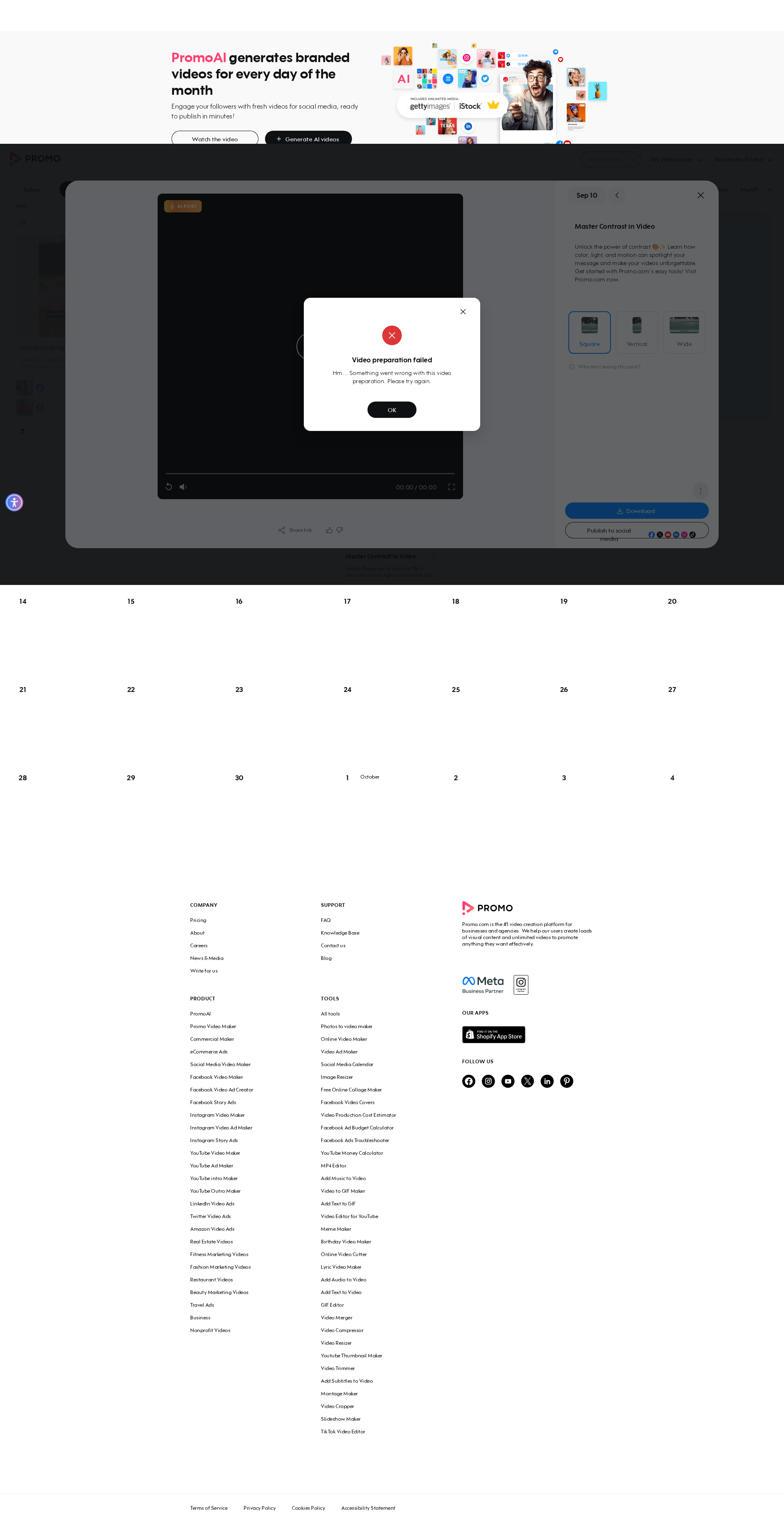
📸 Failure Screenshot:
×
![]()