9
Passed
6
Failed
0
Skipped
Test Results (15 tests)
test_a01p_verify_actions_on_ai_posts_in_planner[chromium]
passed
⏱️ Duration: 119.94s
test_a02_verify_external_share_for_ai_posts[chromium]
passed
⏱️ Duration: 13.51s
test_a03_verify_validation_errors_for_ai_onboarding[chromium]
passed
⏱️ Duration: 7.81s
test_a04_verify_logo_and_watermark_in_autopilot_wizard[chromium]
passed
⏱️ Duration: 5.67s
test_a05_replace_brand_colors_in_autopilot_wizard[chromium]
failed
⏱️ Duration: 23.36s
❌ Error:
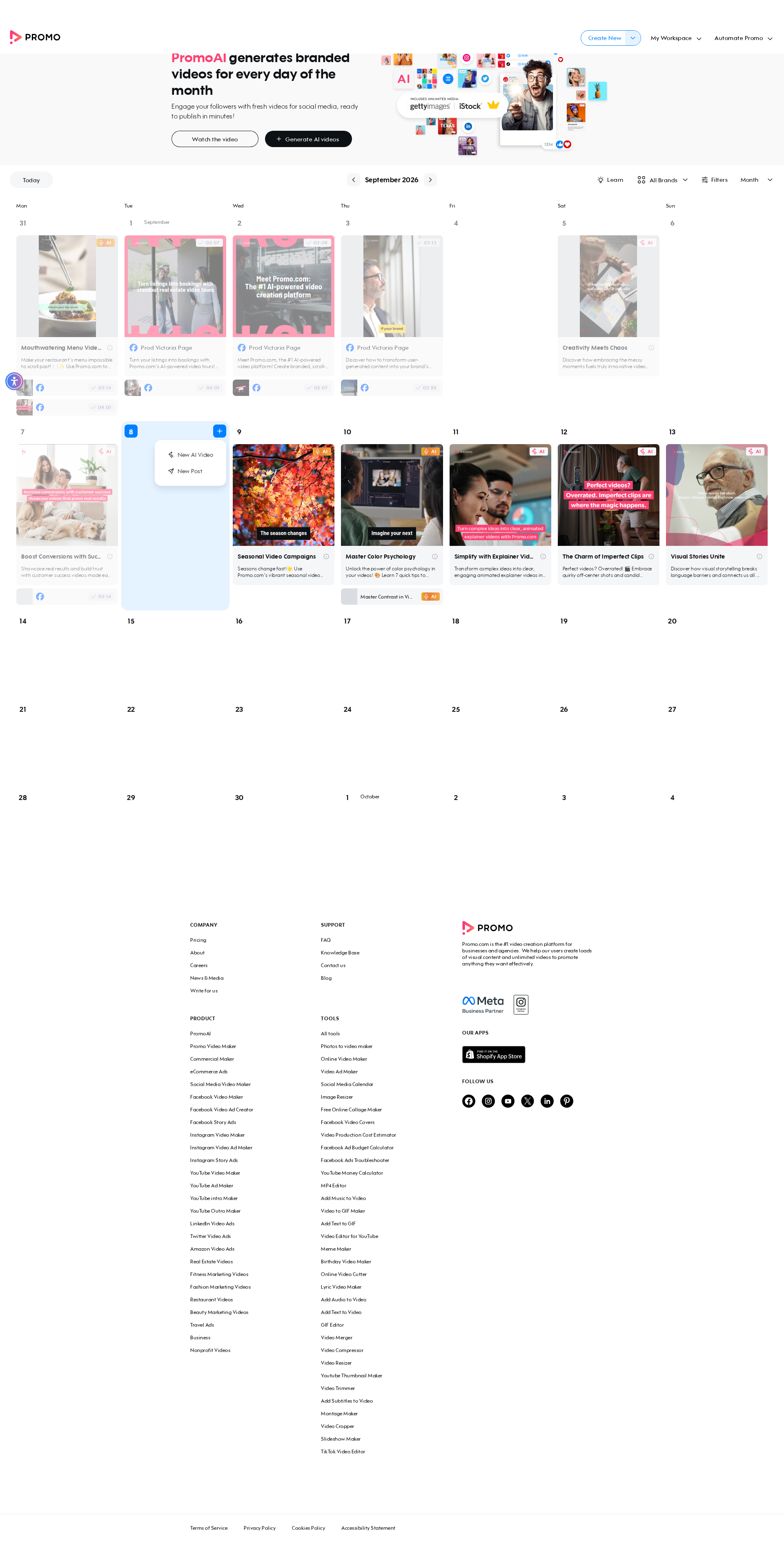
self = <tests.test_autopilot.TestAutopilot object at 0x7f310ab4c160> autopilot_page = <pages.autopilot_page.AutopilotPage object at 0x7f3109da3fa0> login_page = <pages.login_page.LoginPage object at 0x7f3109da2a70> base_url = 'https://promo.com' @pytest.mark.skip_smoke @pytest.mark.skip_sanity def test_a05_replace_brand_colors_in_autopilot_wizard( self, autopilot_page, login_page, base_url ): """ A05 Replace brand colors in the autopilot wizard Feature scenario: Given AI user is logged in When I open Planner And I click Generate video posts in the banner And I select the "Promo.com" brand (has logo/watermark/colors configured) When I try to replace colors → Brand colors are being replaced When I try to delete a color → Brand color has been deleted Then a color is re-added so the brand isn't left empty for the next run Note: see test_a04 docstring — "Promo.com" is selected explicitly because it's the account's brand with colors already configured. The color removed during the delete step is re-added afterwards so this test doesn't strip the brand's colors bare for the next run (mirrors the empty-brand issue that broke this test previously). """ login_page.login_directly(base_url, email_ai, get_password()) autopilot_page.go_to_planner(base_url) autopilot_page.click_generate_in_banner() > autopilot_page.select_existing_brand("Promo.com") tests/test_autopilot.py:297: _ _ _ _ _ _ _ _ _ _ _ _ _ _ _ _ _ _ _ _ _ _ _ _ _ _ _ _ _ _ _ _ _ _ _ _ _ _ _ _ pages/autopilot_page.py:2343: in select_existing_brand self.page.locator(self.AI_BUSINESS_NAME_INPUT).wait_for(state="visible", timeout=self.T_SLOW) /usr/local/lib/python3.10/dist-packages/playwright/sync_api/_generated.py:20539: in wait_for self._sync( /usr/local/lib/python3.10/dist-packages/playwright/_impl/_loca
self = <tests.test_autopilot.TestAutopilot object at 0x7f310ab4c160> autopilot_page = <pages.autopilot_page.AutopilotPage object at 0x7f3109da3fa0> login_page = <pages.login_page.LoginPage object at 0x7f3109da2a70> base_url = 'https://promo.com' @pytest.mark.skip_smoke @pytest.mark.skip_sanity def test_a05_replace_brand_colors_in_autopilot_wizard( self, autopilot_page, login_page, base_url ): """ A05 Replace brand colors in the autopilot wizard Feature scenario: Given AI user is logged in When I open Planner And I click Generate video posts in the banner And I select the "Promo.com" brand (has logo/watermark/colors configured) When I try to replace colors → Brand colors are being replaced When I try to delete a color → Brand color has been deleted Then a color is re-added so the brand isn't left empty for the next run Note: see test_a04 docstring — "Promo.com" is selected explicitly because it's the account's brand with colors already configured. The color removed during the delete step is re-added afterwards so this test doesn't strip the brand's colors bare for the next run (mirrors the empty-brand issue that broke this test previously). """ login_page.login_directly(base_url, email_ai, get_password()) autopilot_page.go_to_planner(base_url) autopilot_page.click_generate_in_banner() > autopilot_page.select_existing_brand("Promo.com") tests/test_autopilot.py:297: _ _ _ _ _ _ _ _ _ _ _ _ _ _ _ _ _ _ _ _ _ _ _ _ _ _ _ _ _ _ _ _ _ _ _ _ _ _ _ _ pages/autopilot_page.py:2343: in select_existing_brand self.page.locator(self.AI_BUSINESS_NAME_INPUT).wait_for(state="visible", timeout=self.T_SLOW) /usr/local/lib/python3.10/dist-packages/playwright/sync_api/_generated.py:20539: in wait_for self._sync( /usr/local/lib/python3.10/dist-packages/playwright/_impl/_loca
📸 Failure Screenshot:
test_a06_schedule_an_ai_post[chromium]
failed
⏱️ Duration: 15.91s
❌ Error:
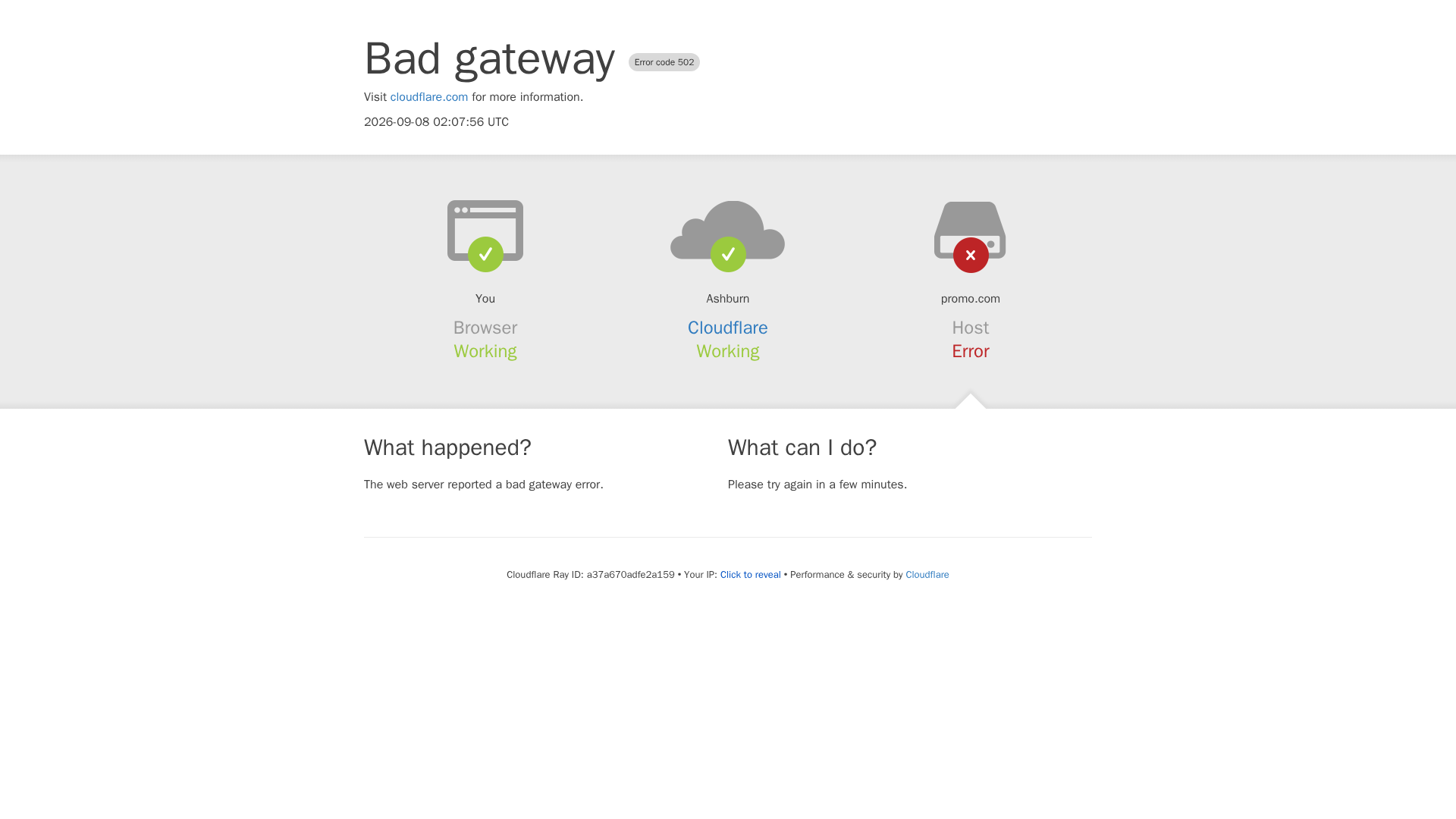
self = <tests.test_autopilot.TestAutopilot object at 0x7f310ab4c8b0> autopilot_page = <pages.autopilot_page.AutopilotPage object at 0x7f3108e9fb80> login_page = <pages.login_page.LoginPage object at 0x7f3108f1d360> publisher_page = <pages.publisher_page.PublisherPage object at 0x7f3108f1f190> base_url = 'https://promo.com' @pytest.mark.skip_smoke @pytest.mark.skip_sanity def test_a06_schedule_an_ai_post( self, autopilot_page, login_page, publisher_page, base_url ): """ A06 Schedule an AI post Feature scenario: Given AI user is logged in When I open Planner Then I clean all scheduled posts for the current month When I click on 2 AI Post And I click the schedule button And I schedule an AI post (calendar confirm) And I complete the schedule flow on the publisher page And I click the view planner button Then I verify that user is redirected to the planner Then Assert amount of scheduled posts in planner: 1 """ login_page.login_directly(base_url, email_ai, get_password()) autopilot_page.go_to_planner(base_url) autopilot_page.clean_scheduled_posts() autopilot_page.open_ai_post(2) autopilot_page.click_schedule_button() > autopilot_page.schedule_ai_post() tests/test_autopilot.py:328: _ _ _ _ _ _ _ _ _ _ _ _ _ _ _ _ _ _ _ _ _ _ _ _ _ _ _ _ _ _ _ _ _ _ _ _ _ _ _ _ pages/autopilot_page.py:1096: in schedule_ai_post apply_btn.wait_for(state="visible", timeout=self.T_ACTION) /usr/local/lib/python3.10/dist-packages/playwright/sync_api/_generated.py:20539: in wait_for self._sync( /usr/local/lib/python3.10/dist-packages/playwright/_impl/_locator.py:748: in wait_for await self._frame.wait_for_selector( /usr/local/lib/python3.10/dist-packages/playwright/_impl/_frame.py:394: in wait_for_selector await self._channel.send( /usr/local/lib/python3.10/dist-packages/p
self = <tests.test_autopilot.TestAutopilot object at 0x7f310ab4c8b0> autopilot_page = <pages.autopilot_page.AutopilotPage object at 0x7f3108e9fb80> login_page = <pages.login_page.LoginPage object at 0x7f3108f1d360> publisher_page = <pages.publisher_page.PublisherPage object at 0x7f3108f1f190> base_url = 'https://promo.com' @pytest.mark.skip_smoke @pytest.mark.skip_sanity def test_a06_schedule_an_ai_post( self, autopilot_page, login_page, publisher_page, base_url ): """ A06 Schedule an AI post Feature scenario: Given AI user is logged in When I open Planner Then I clean all scheduled posts for the current month When I click on 2 AI Post And I click the schedule button And I schedule an AI post (calendar confirm) And I complete the schedule flow on the publisher page And I click the view planner button Then I verify that user is redirected to the planner Then Assert amount of scheduled posts in planner: 1 """ login_page.login_directly(base_url, email_ai, get_password()) autopilot_page.go_to_planner(base_url) autopilot_page.clean_scheduled_posts() autopilot_page.open_ai_post(2) autopilot_page.click_schedule_button() > autopilot_page.schedule_ai_post() tests/test_autopilot.py:328: _ _ _ _ _ _ _ _ _ _ _ _ _ _ _ _ _ _ _ _ _ _ _ _ _ _ _ _ _ _ _ _ _ _ _ _ _ _ _ _ pages/autopilot_page.py:1096: in schedule_ai_post apply_btn.wait_for(state="visible", timeout=self.T_ACTION) /usr/local/lib/python3.10/dist-packages/playwright/sync_api/_generated.py:20539: in wait_for self._sync( /usr/local/lib/python3.10/dist-packages/playwright/_impl/_locator.py:748: in wait_for await self._frame.wait_for_selector( /usr/local/lib/python3.10/dist-packages/playwright/_impl/_frame.py:394: in wait_for_selector await self._channel.send( /usr/local/lib/python3.10/dist-packages/p
📸 Failure Screenshot:
test_a07_free_user_has_no_brand_options_in_wizard[chromium]
failed
⏱️ Duration: 30.01s
❌ Error:
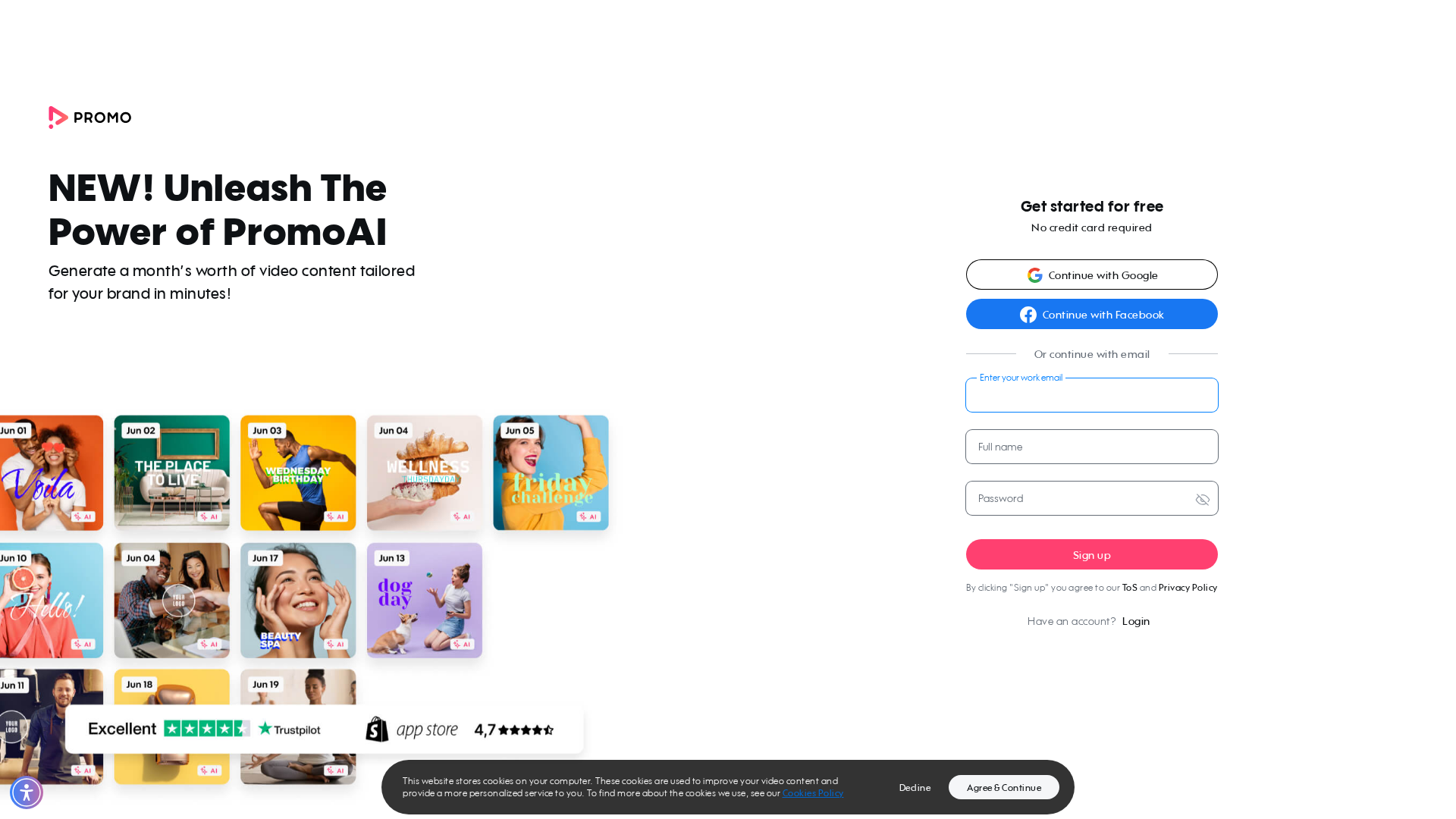
self = <tests.test_autopilot.TestAutopilot object at 0x7f310ab4ce20> autopilot_page = <pages.autopilot_page.AutopilotPage object at 0x7f3108cad6c0> sign_up_page = <pages.sign_up_page.SignUpPage object at 0x7f3108cadf60> my_account_page = <pages.my_account_page.MyAccountPage object at 0x7f3108cadc00> base_url = 'https://promo.com' @pytest.mark.skip_smoke def test_a07_free_user_has_no_brand_options_in_wizard( self, autopilot_page, sign_up_page, my_account_page, base_url ): """ A07 Free user does not see my brand or logo options in the autopilot wizard Feature scenario: When I create a new account And I continue without a website (autopilot wizard landing) Then I verify if there is no option to add brand When I open the settings page Then I delete my account """ random_email = f"promo.auto.a07.{uuid.uuid4().hex[:8]}@promo.com" > sign_up_page.create_account( base_url=base_url, email=random_email, full_name=fullname, password=random_password, ) tests/test_autopilot.py:353: _ _ _ _ _ _ _ _ _ _ _ _ _ _ _ _ _ _ _ _ _ _ _ _ _ _ _ _ _ _ _ _ _ _ _ _ _ _ _ _ pages/sign_up_page.py:42: in create_account self.page.goto(f"{base_url}/signup") /usr/local/lib/python3.10/dist-packages/playwright/sync_api/_generated.py:9875: in goto self._sync( /usr/local/lib/python3.10/dist-packages/playwright/_impl/_page.py:560: in goto return await self._main_frame.goto(**locals_to_params(locals())) /usr/local/lib/python3.10/dist-packages/playwright/_impl/_frame.py:156: in goto await self._channel.send( /usr/local/lib/python3.10/dist-packages/playwright/_impl/_connection.py:76: in send return await self._connection.wrap_api_call( _ _ _ _ _ _ _ _ _ _ _ _ _ _ _ _ _ _ _ _ _ _ _ _ _ _ _ _ _ _ _ _ _ _ _ _ _ _ _ _ self = <playwright._impl._connection.Connection object at 0x7f310addd540> cb = <function Chann
self = <tests.test_autopilot.TestAutopilot object at 0x7f310ab4ce20> autopilot_page = <pages.autopilot_page.AutopilotPage object at 0x7f3108cad6c0> sign_up_page = <pages.sign_up_page.SignUpPage object at 0x7f3108cadf60> my_account_page = <pages.my_account_page.MyAccountPage object at 0x7f3108cadc00> base_url = 'https://promo.com' @pytest.mark.skip_smoke def test_a07_free_user_has_no_brand_options_in_wizard( self, autopilot_page, sign_up_page, my_account_page, base_url ): """ A07 Free user does not see my brand or logo options in the autopilot wizard Feature scenario: When I create a new account And I continue without a website (autopilot wizard landing) Then I verify if there is no option to add brand When I open the settings page Then I delete my account """ random_email = f"promo.auto.a07.{uuid.uuid4().hex[:8]}@promo.com" > sign_up_page.create_account( base_url=base_url, email=random_email, full_name=fullname, password=random_password, ) tests/test_autopilot.py:353: _ _ _ _ _ _ _ _ _ _ _ _ _ _ _ _ _ _ _ _ _ _ _ _ _ _ _ _ _ _ _ _ _ _ _ _ _ _ _ _ pages/sign_up_page.py:42: in create_account self.page.goto(f"{base_url}/signup") /usr/local/lib/python3.10/dist-packages/playwright/sync_api/_generated.py:9875: in goto self._sync( /usr/local/lib/python3.10/dist-packages/playwright/_impl/_page.py:560: in goto return await self._main_frame.goto(**locals_to_params(locals())) /usr/local/lib/python3.10/dist-packages/playwright/_impl/_frame.py:156: in goto await self._channel.send( /usr/local/lib/python3.10/dist-packages/playwright/_impl/_connection.py:76: in send return await self._connection.wrap_api_call( _ _ _ _ _ _ _ _ _ _ _ _ _ _ _ _ _ _ _ _ _ _ _ _ _ _ _ _ _ _ _ _ _ _ _ _ _ _ _ _ self = <playwright._impl._connection.Connection object at 0x7f310addd540> cb = <function Chann
📸 Failure Screenshot:
test_a08_educational_video_in_planner_banner[chromium]
passed
⏱️ Duration: 5.31s
test_a09_redirect_to_publish_page_via_preview_buttons[chromium-export-cbe]
failed
⏱️ Duration: 64.10s
❌ Error:
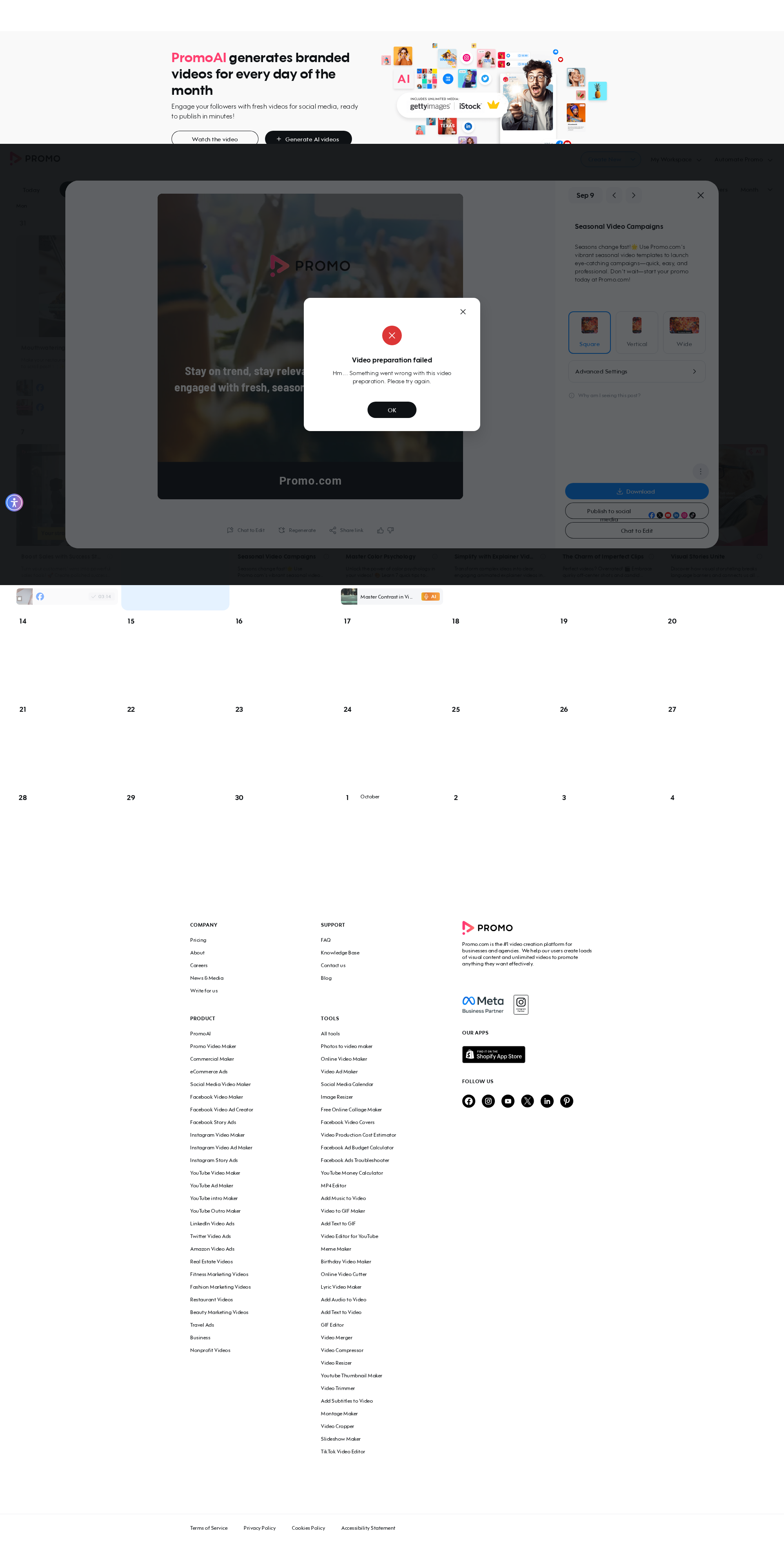
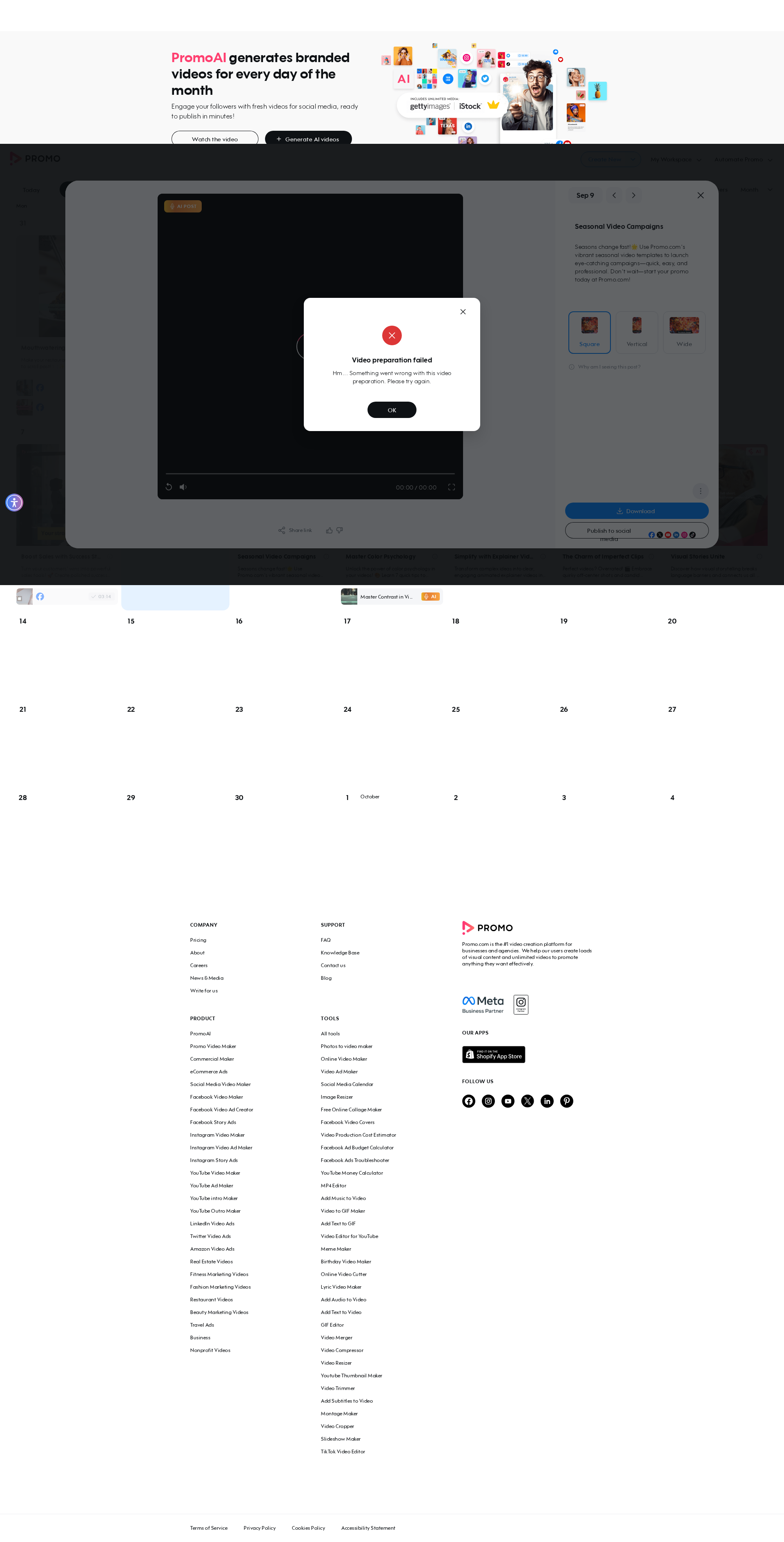
self = <tests.test_autopilot.TestAutopilot object at 0x7f310ab4fb50> autopilot_page = <pages.autopilot_page.AutopilotPage object at 0x7f3108f328f0> login_page = <pages.login_page.LoginPage object at 0x7f3108f31c30> base_url = 'https://promo.com', button_key = 'export', option = 'cbe' @pytest.mark.skip_smoke @pytest.mark.parametrize("button_key,option", [ ("export", "cbe"), ("upload_to", "voice"), ("embed", "regenerate"), ]) def test_a09_redirect_to_publish_page_via_preview_buttons( self, autopilot_page, login_page, base_url, button_key, option ): """ A09 Verify user is redirected to the publish page when using planner preview buttons Feature scenario (Scenario Outline): Given AI user is logged in When I open Planner Then I generate AI posts if needed When I click on 4 AI Post When I click the "<button>" button in the dropdown Then Video is being rendered Then New tab with Publish Page is opened When I open Planner via link When I click on 4 rendered AI Post Then I check that "<option>" is not available Then I remove the rendered post Examples: export/cbe | upload_to/voice | embed/regenerate """ login_page.login_directly(base_url, email_ai, get_password()) autopilot_page.go_to_planner(base_url) autopilot_page.ensure_ai_posts_exist() autopilot_page.open_ai_post(4) > autopilot_page.click_dropdown_button_open_publish(button_key) tests/test_autopilot.py:415: _ _ _ _ _ _ _ _ _ _ _ _ _ _ _ _ _ _ _ _ _ _ _ _ _ _ _ _ _ _ _ _ _ _ _ _ _ _ _ _ pages/autopilot_page.py:985: in click_dropdown_button_open_publish self.page.locator(self.PUBLISH_TO_SOCIAL).wait_for(state="visible", timeout=self.T_NETWORK) /usr/local/lib/python3.10/dist-packages/playwright/sync_api/_generated.py:20539: in wait_for self._sync( /usr/local/lib/pyt
self = <tests.test_autopilot.TestAutopilot object at 0x7f310ab4fb50> autopilot_page = <pages.autopilot_page.AutopilotPage object at 0x7f3108f328f0> login_page = <pages.login_page.LoginPage object at 0x7f3108f31c30> base_url = 'https://promo.com', button_key = 'export', option = 'cbe' @pytest.mark.skip_smoke @pytest.mark.parametrize("button_key,option", [ ("export", "cbe"), ("upload_to", "voice"), ("embed", "regenerate"), ]) def test_a09_redirect_to_publish_page_via_preview_buttons( self, autopilot_page, login_page, base_url, button_key, option ): """ A09 Verify user is redirected to the publish page when using planner preview buttons Feature scenario (Scenario Outline): Given AI user is logged in When I open Planner Then I generate AI posts if needed When I click on 4 AI Post When I click the "<button>" button in the dropdown Then Video is being rendered Then New tab with Publish Page is opened When I open Planner via link When I click on 4 rendered AI Post Then I check that "<option>" is not available Then I remove the rendered post Examples: export/cbe | upload_to/voice | embed/regenerate """ login_page.login_directly(base_url, email_ai, get_password()) autopilot_page.go_to_planner(base_url) autopilot_page.ensure_ai_posts_exist() autopilot_page.open_ai_post(4) > autopilot_page.click_dropdown_button_open_publish(button_key) tests/test_autopilot.py:415: _ _ _ _ _ _ _ _ _ _ _ _ _ _ _ _ _ _ _ _ _ _ _ _ _ _ _ _ _ _ _ _ _ _ _ _ _ _ _ _ pages/autopilot_page.py:985: in click_dropdown_button_open_publish self.page.locator(self.PUBLISH_TO_SOCIAL).wait_for(state="visible", timeout=self.T_NETWORK) /usr/local/lib/python3.10/dist-packages/playwright/sync_api/_generated.py:20539: in wait_for self._sync( /usr/local/lib/pyt
📸 Failure Screenshot:
test_a09_redirect_to_publish_page_via_preview_buttons[chromium-upload_to-voice]
failed
⏱️ Duration: 52.22s
❌ Error:
self = <tests.test_autopilot.TestAutopilot object at 0x7f310ab4cf70> autopilot_page = <pages.autopilot_page.AutopilotPage object at 0x7f3108ce9960> login_page = <pages.login_page.LoginPage object at 0x7f3108ceb250> base_url = 'https://promo.com', button_key = 'upload_to', option = 'voice' @pytest.mark.skip_smoke @pytest.mark.parametrize("button_key,option", [ ("export", "cbe"), ("upload_to", "voice"), ("embed", "regenerate"), ]) def test_a09_redirect_to_publish_page_via_preview_buttons( self, autopilot_page, login_page, base_url, button_key, option ): """ A09 Verify user is redirected to the publish page when using planner preview buttons Feature scenario (Scenario Outline): Given AI user is logged in When I open Planner Then I generate AI posts if needed When I click on 4 AI Post When I click the "<button>" button in the dropdown Then Video is being rendered Then New tab with Publish Page is opened When I open Planner via link When I click on 4 rendered AI Post Then I check that "<option>" is not available Then I remove the rendered post Examples: export/cbe | upload_to/voice | embed/regenerate """ login_page.login_directly(base_url, email_ai, get_password()) autopilot_page.go_to_planner(base_url) autopilot_page.ensure_ai_posts_exist() autopilot_page.open_ai_post(4) > autopilot_page.click_dropdown_button_open_publish(button_key) tests/test_autopilot.py:415: _ _ _ _ _ _ _ _ _ _ _ _ _ _ _ _ _ _ _ _ _ _ _ _ _ _ _ _ _ _ _ _ _ _ _ _ _ _ _ _ pages/autopilot_page.py:985: in click_dropdown_button_open_publish self.page.locator(self.PUBLISH_TO_SOCIAL).wait_for(state="visible", timeout=self.T_NETWORK) /usr/local/lib/python3.10/dist-packages/playwright/sync_api/_generated.py:20539: in wait_for self._sync( /usr/local/li
self = <tests.test_autopilot.TestAutopilot object at 0x7f310ab4cf70> autopilot_page = <pages.autopilot_page.AutopilotPage object at 0x7f3108ce9960> login_page = <pages.login_page.LoginPage object at 0x7f3108ceb250> base_url = 'https://promo.com', button_key = 'upload_to', option = 'voice' @pytest.mark.skip_smoke @pytest.mark.parametrize("button_key,option", [ ("export", "cbe"), ("upload_to", "voice"), ("embed", "regenerate"), ]) def test_a09_redirect_to_publish_page_via_preview_buttons( self, autopilot_page, login_page, base_url, button_key, option ): """ A09 Verify user is redirected to the publish page when using planner preview buttons Feature scenario (Scenario Outline): Given AI user is logged in When I open Planner Then I generate AI posts if needed When I click on 4 AI Post When I click the "<button>" button in the dropdown Then Video is being rendered Then New tab with Publish Page is opened When I open Planner via link When I click on 4 rendered AI Post Then I check that "<option>" is not available Then I remove the rendered post Examples: export/cbe | upload_to/voice | embed/regenerate """ login_page.login_directly(base_url, email_ai, get_password()) autopilot_page.go_to_planner(base_url) autopilot_page.ensure_ai_posts_exist() autopilot_page.open_ai_post(4) > autopilot_page.click_dropdown_button_open_publish(button_key) tests/test_autopilot.py:415: _ _ _ _ _ _ _ _ _ _ _ _ _ _ _ _ _ _ _ _ _ _ _ _ _ _ _ _ _ _ _ _ _ _ _ _ _ _ _ _ pages/autopilot_page.py:985: in click_dropdown_button_open_publish self.page.locator(self.PUBLISH_TO_SOCIAL).wait_for(state="visible", timeout=self.T_NETWORK) /usr/local/lib/python3.10/dist-packages/playwright/sync_api/_generated.py:20539: in wait_for self._sync( /usr/local/li
📸 Failure Screenshot:
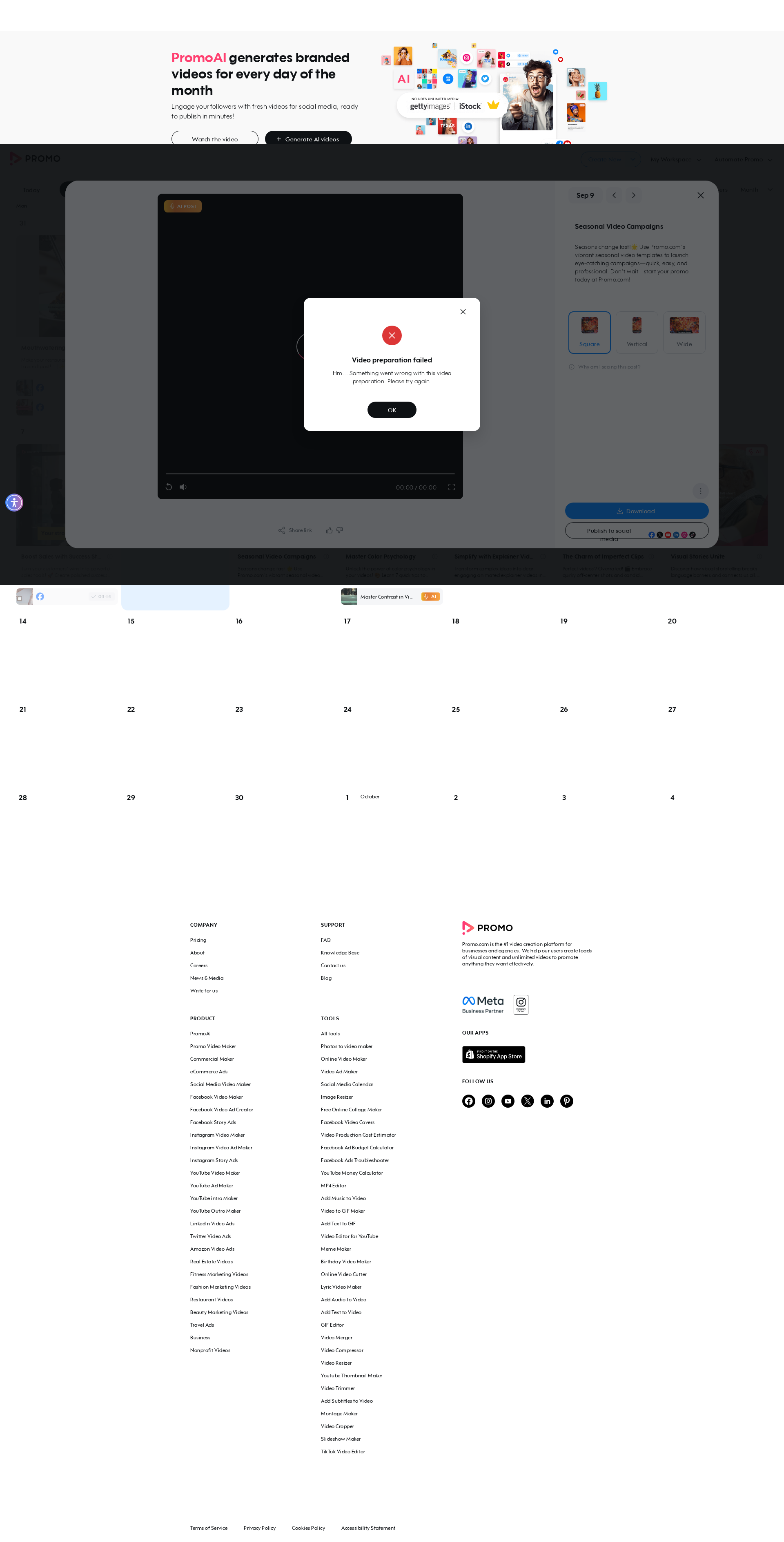
test_a09_redirect_to_publish_page_via_preview_buttons[chromium-embed-regenerate]
failed
⏱️ Duration: 52.79s
❌ Error:
self = <tests.test_autopilot.TestAutopilot object at 0x7f310ab4c820> autopilot_page = <pages.autopilot_page.AutopilotPage object at 0x7f3108d7b8b0> login_page = <pages.login_page.LoginPage object at 0x7f3108d787f0> base_url = 'https://promo.com', button_key = 'embed', option = 'regenerate' @pytest.mark.skip_smoke @pytest.mark.parametrize("button_key,option", [ ("export", "cbe"), ("upload_to", "voice"), ("embed", "regenerate"), ]) def test_a09_redirect_to_publish_page_via_preview_buttons( self, autopilot_page, login_page, base_url, button_key, option ): """ A09 Verify user is redirected to the publish page when using planner preview buttons Feature scenario (Scenario Outline): Given AI user is logged in When I open Planner Then I generate AI posts if needed When I click on 4 AI Post When I click the "<button>" button in the dropdown Then Video is being rendered Then New tab with Publish Page is opened When I open Planner via link When I click on 4 rendered AI Post Then I check that "<option>" is not available Then I remove the rendered post Examples: export/cbe | upload_to/voice | embed/regenerate """ login_page.login_directly(base_url, email_ai, get_password()) autopilot_page.go_to_planner(base_url) autopilot_page.ensure_ai_posts_exist() autopilot_page.open_ai_post(4) > autopilot_page.click_dropdown_button_open_publish(button_key) tests/test_autopilot.py:415: _ _ _ _ _ _ _ _ _ _ _ _ _ _ _ _ _ _ _ _ _ _ _ _ _ _ _ _ _ _ _ _ _ _ _ _ _ _ _ _ pages/autopilot_page.py:985: in click_dropdown_button_open_publish self.page.locator(self.PUBLISH_TO_SOCIAL).wait_for(state="visible", timeout=self.T_NETWORK) /usr/local/lib/python3.10/dist-packages/playwright/sync_api/_generated.py:20539: in wait_for self._sync( /usr/local/l
self = <tests.test_autopilot.TestAutopilot object at 0x7f310ab4c820> autopilot_page = <pages.autopilot_page.AutopilotPage object at 0x7f3108d7b8b0> login_page = <pages.login_page.LoginPage object at 0x7f3108d787f0> base_url = 'https://promo.com', button_key = 'embed', option = 'regenerate' @pytest.mark.skip_smoke @pytest.mark.parametrize("button_key,option", [ ("export", "cbe"), ("upload_to", "voice"), ("embed", "regenerate"), ]) def test_a09_redirect_to_publish_page_via_preview_buttons( self, autopilot_page, login_page, base_url, button_key, option ): """ A09 Verify user is redirected to the publish page when using planner preview buttons Feature scenario (Scenario Outline): Given AI user is logged in When I open Planner Then I generate AI posts if needed When I click on 4 AI Post When I click the "<button>" button in the dropdown Then Video is being rendered Then New tab with Publish Page is opened When I open Planner via link When I click on 4 rendered AI Post Then I check that "<option>" is not available Then I remove the rendered post Examples: export/cbe | upload_to/voice | embed/regenerate """ login_page.login_directly(base_url, email_ai, get_password()) autopilot_page.go_to_planner(base_url) autopilot_page.ensure_ai_posts_exist() autopilot_page.open_ai_post(4) > autopilot_page.click_dropdown_button_open_publish(button_key) tests/test_autopilot.py:415: _ _ _ _ _ _ _ _ _ _ _ _ _ _ _ _ _ _ _ _ _ _ _ _ _ _ _ _ _ _ _ _ _ _ _ _ _ _ _ _ pages/autopilot_page.py:985: in click_dropdown_button_open_publish self.page.locator(self.PUBLISH_TO_SOCIAL).wait_for(state="visible", timeout=self.T_NETWORK) /usr/local/lib/python3.10/dist-packages/playwright/sync_api/_generated.py:20539: in wait_for self._sync( /usr/local/l
📸 Failure Screenshot:
test_a10_create_new_with_topic[chromium]
passed
⏱️ Duration: 6.30s
test_a11_create_new_with_website[chromium]
passed
⏱️ Duration: 8.54s
test_a12_create_new_with_amazon_product[chromium-amazon.com/dp/B0BRH2RNHX]
passed
⏱️ Duration: 5.66s
test_a12_create_new_with_amazon_product[chromium-https://www.airbnb.com/rooms/1402655494806905338]
passed
⏱️ Duration: 6.00s
×
![]()