0
Passed
1
Failed
0
Skipped
Test Results (1 tests)
test_a05_replace_brand_colors_in_autopilot_wizard[chromium]
failed
⏱️ Duration: 23.43s
❌ Error:
self = <tests.test_autopilot.TestAutopilot object at 0x7f11b92a02b0> autopilot_page = <pages.autopilot_page.AutopilotPage object at 0x7f11b929d9f0> login_page = <pages.login_page.LoginPage object at 0x7f11b929eb90> base_url = 'https://promo.com' @pytest.mark.skip_smoke @pytest.mark.skip_sanity def test_a05_replace_brand_colors_in_autopilot_wizard( self, autopilot_page, login_page, base_url ): """ A05 Replace brand colors in the autopilot wizard Feature scenario: Given AI user is logged in When I open Planner And I click Generate video posts in the banner And I select the "Promo.com" brand (has logo/watermark/colors configured) When I try to replace colors → Brand colors are being replaced When I try to delete a color → Brand color has been deleted Then a color is re-added so the brand isn't left empty for the next run Note: see test_a04 docstring — "Promo.com" is selected explicitly because it's the account's brand with colors already configured. The color removed during the delete step is re-added afterwards so this test doesn't strip the brand's colors bare for the next run (mirrors the empty-brand issue that broke this test previously). """ login_page.login_directly(base_url, email_ai, get_password()) autopilot_page.go_to_planner(base_url) autopilot_page.click_generate_in_banner() > autopilot_page.select_existing_brand("Promo.com") tests/test_autopilot.py:297: _ _ _ _ _ _ _ _ _ _ _ _ _ _ _ _ _ _ _ _ _ _ _ _ _ _ _ _ _ _ _ _ _ _ _ _ _ _ _ _ pages/autopilot_page.py:2343: in select_existing_brand self.page.locator(self.AI_BUSINESS_NAME_INPUT).wait_for(state="visible", timeout=self.T_SLOW) /usr/local/lib/python3.10/dist-packages/playwright/sync_api/_generated.py:20539: in wait_for self._sync( /usr/local/lib/python3.10/dist-packages/playwright/_impl/_loca
self = <tests.test_autopilot.TestAutopilot object at 0x7f11b92a02b0> autopilot_page = <pages.autopilot_page.AutopilotPage object at 0x7f11b929d9f0> login_page = <pages.login_page.LoginPage object at 0x7f11b929eb90> base_url = 'https://promo.com' @pytest.mark.skip_smoke @pytest.mark.skip_sanity def test_a05_replace_brand_colors_in_autopilot_wizard( self, autopilot_page, login_page, base_url ): """ A05 Replace brand colors in the autopilot wizard Feature scenario: Given AI user is logged in When I open Planner And I click Generate video posts in the banner And I select the "Promo.com" brand (has logo/watermark/colors configured) When I try to replace colors → Brand colors are being replaced When I try to delete a color → Brand color has been deleted Then a color is re-added so the brand isn't left empty for the next run Note: see test_a04 docstring — "Promo.com" is selected explicitly because it's the account's brand with colors already configured. The color removed during the delete step is re-added afterwards so this test doesn't strip the brand's colors bare for the next run (mirrors the empty-brand issue that broke this test previously). """ login_page.login_directly(base_url, email_ai, get_password()) autopilot_page.go_to_planner(base_url) autopilot_page.click_generate_in_banner() > autopilot_page.select_existing_brand("Promo.com") tests/test_autopilot.py:297: _ _ _ _ _ _ _ _ _ _ _ _ _ _ _ _ _ _ _ _ _ _ _ _ _ _ _ _ _ _ _ _ _ _ _ _ _ _ _ _ pages/autopilot_page.py:2343: in select_existing_brand self.page.locator(self.AI_BUSINESS_NAME_INPUT).wait_for(state="visible", timeout=self.T_SLOW) /usr/local/lib/python3.10/dist-packages/playwright/sync_api/_generated.py:20539: in wait_for self._sync( /usr/local/lib/python3.10/dist-packages/playwright/_impl/_loca
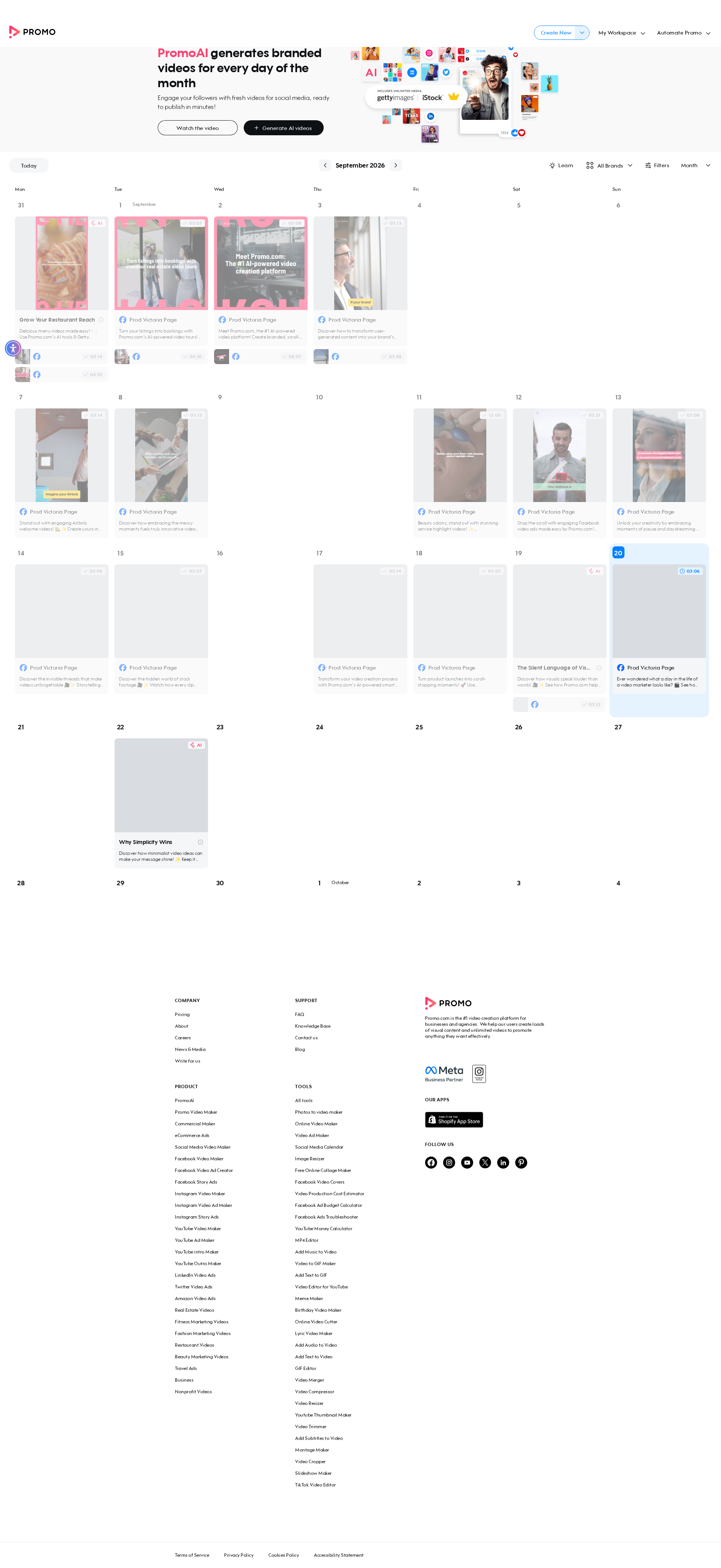
📸 Failure Screenshot:
×
![]()