12
Passed
3
Failed
0
Skipped
Test Results (15 tests)
test_a01p_verify_actions_on_ai_posts_in_planner[chromium]
passed
⏱️ Duration: 157.55s
test_a02_verify_external_share_for_ai_posts[chromium]
passed
⏱️ Duration: 14.53s
test_a03_verify_validation_errors_for_ai_onboarding[chromium]
passed
⏱️ Duration: 8.13s
test_a04_verify_logo_and_watermark_in_autopilot_wizard[chromium]
passed
⏱️ Duration: 5.59s
test_a05_replace_brand_colors_in_autopilot_wizard[chromium]
passed
⏱️ Duration: 6.18s
test_a06_schedule_an_ai_post[chromium]
passed
⏱️ Duration: 27.99s
test_a07_free_user_has_no_brand_options_in_wizard[chromium]
failed
⏱️ Duration: 29.51s
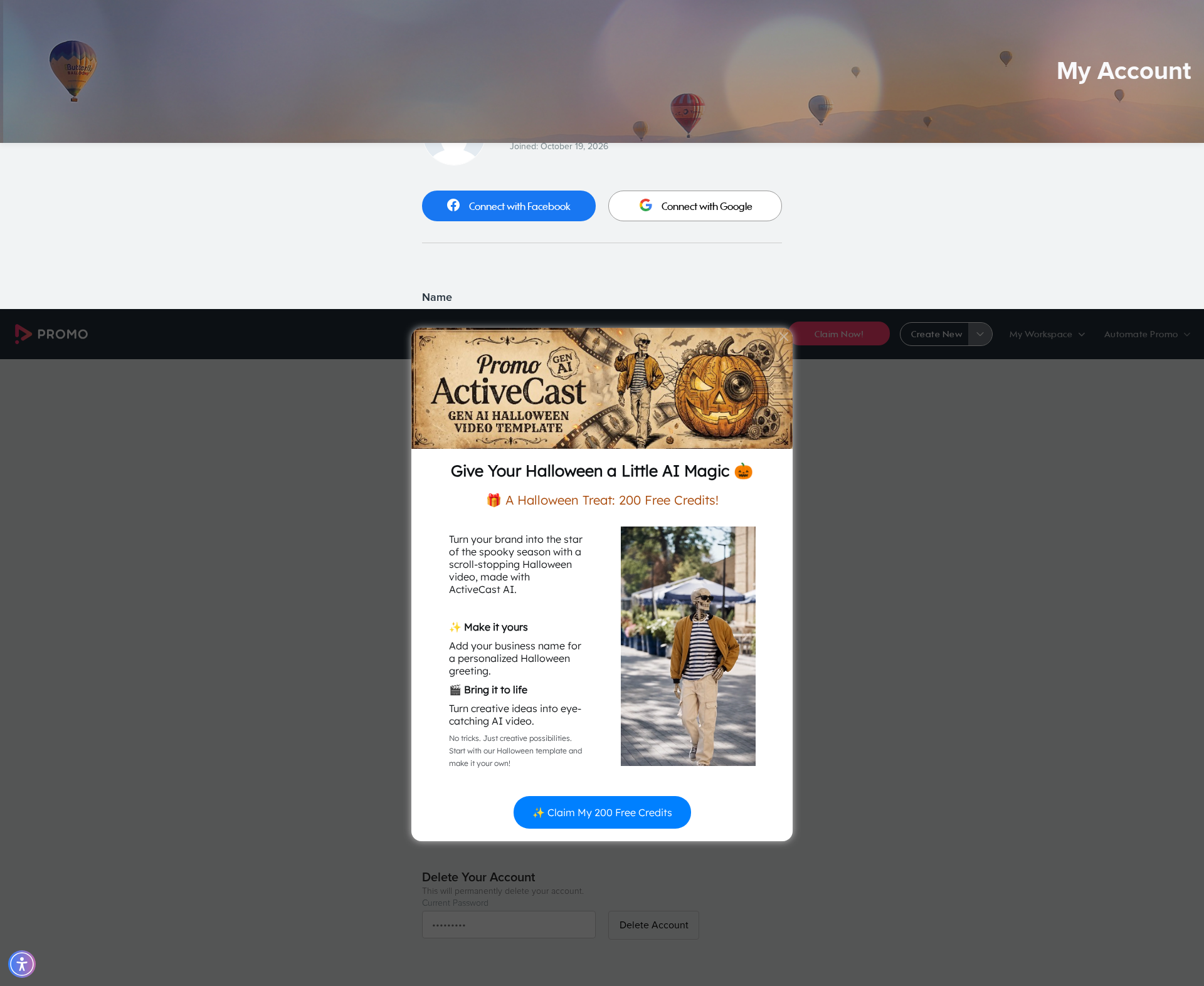
❌ Error:
self = <tests.test_autopilot.TestAutopilot object at 0x7f26be162800> autopilot_page = <pages.autopilot_page.AutopilotPage object at 0x7f26bd3170a0> sign_up_page = <pages.sign_up_page.SignUpPage object at 0x7f26bd4bbdc0> my_account_page = <pages.my_account_page.MyAccountPage object at 0x7f26be2501c0> base_url = 'https://promo.com' @pytest.mark.skip_smoke def test_a07_free_user_has_no_brand_options_in_wizard( self, autopilot_page, sign_up_page, my_account_page, base_url ): """ A07 Free user does not see my brand or logo options in the autopilot wizard Feature scenario: When I create a new account And I continue without a website (autopilot wizard landing) Then I verify if there is no option to add brand When I open the settings page Then I delete my account """ random_email = f"promo.auto.a07.{uuid.uuid4().hex[:8]}@promo.com" sign_up_page.create_account( base_url=base_url, email=random_email, full_name=fullname, password=random_password, ) autopilot_page.go_to_autopilot_wizard(base_url) autopilot_page.click_continue_without_website() autopilot_page.assert_brands_dropdown_not_visible() my_account_page.go_to_my_account_direct(base_url) > my_account_page.delete_account(random_password) tests/test_autopilot.py:363: _ _ _ _ _ _ _ _ _ _ _ _ _ _ _ _ _ _ _ _ _ _ _ _ _ _ _ _ _ _ _ _ _ _ _ _ _ _ _ _ pages/my_account_page.py:94: in delete_account settings.locator(self.DELETE_ACCOUNT_BTN).click() /usr/local/lib/python3.10/dist-packages/playwright/sync_api/_generated.py:17876: in click self._sync( /usr/local/lib/python3.10/dist-packages/playwright/_impl/_locator.py:165: in click return await self._frame._click(self._selector, strict=True, **params) /usr/local/lib/python3.10/dist-packages/playwright/_impl/_frame.py:593: in _click await self._channel
self = <tests.test_autopilot.TestAutopilot object at 0x7f26be162800> autopilot_page = <pages.autopilot_page.AutopilotPage object at 0x7f26bd3170a0> sign_up_page = <pages.sign_up_page.SignUpPage object at 0x7f26bd4bbdc0> my_account_page = <pages.my_account_page.MyAccountPage object at 0x7f26be2501c0> base_url = 'https://promo.com' @pytest.mark.skip_smoke def test_a07_free_user_has_no_brand_options_in_wizard( self, autopilot_page, sign_up_page, my_account_page, base_url ): """ A07 Free user does not see my brand or logo options in the autopilot wizard Feature scenario: When I create a new account And I continue without a website (autopilot wizard landing) Then I verify if there is no option to add brand When I open the settings page Then I delete my account """ random_email = f"promo.auto.a07.{uuid.uuid4().hex[:8]}@promo.com" sign_up_page.create_account( base_url=base_url, email=random_email, full_name=fullname, password=random_password, ) autopilot_page.go_to_autopilot_wizard(base_url) autopilot_page.click_continue_without_website() autopilot_page.assert_brands_dropdown_not_visible() my_account_page.go_to_my_account_direct(base_url) > my_account_page.delete_account(random_password) tests/test_autopilot.py:363: _ _ _ _ _ _ _ _ _ _ _ _ _ _ _ _ _ _ _ _ _ _ _ _ _ _ _ _ _ _ _ _ _ _ _ _ _ _ _ _ pages/my_account_page.py:94: in delete_account settings.locator(self.DELETE_ACCOUNT_BTN).click() /usr/local/lib/python3.10/dist-packages/playwright/sync_api/_generated.py:17876: in click self._sync( /usr/local/lib/python3.10/dist-packages/playwright/_impl/_locator.py:165: in click return await self._frame._click(self._selector, strict=True, **params) /usr/local/lib/python3.10/dist-packages/playwright/_impl/_frame.py:593: in _click await self._channel
📸 Failure Screenshot:
test_a08_educational_video_in_planner_banner[chromium]
passed
⏱️ Duration: 6.53s
test_a09_redirect_to_publish_page_via_preview_buttons[chromium-export-cbe]
failed
⏱️ Duration: 110.72s
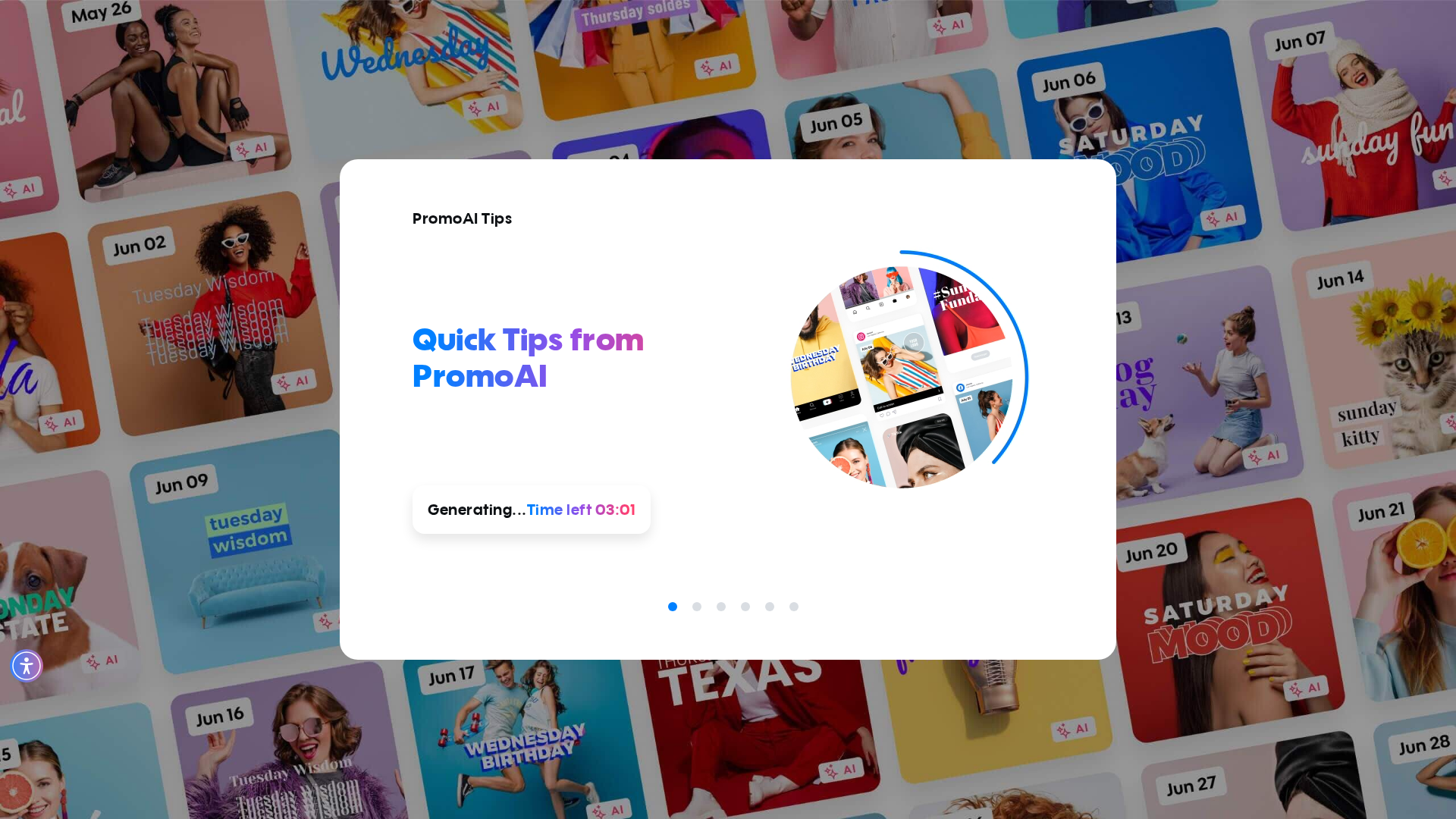
❌ Error:
self = <tests.test_autopilot.TestAutopilot object at 0x7f26be163b50> autopilot_page = <pages.autopilot_page.AutopilotPage object at 0x7f26bc2862c0> login_page = <pages.login_page.LoginPage object at 0x7f26bc4fbf70> base_url = 'https://promo.com', button_key = 'export', option = 'cbe' @pytest.mark.skip_smoke @pytest.mark.parametrize("button_key,option", [ ("export", "cbe"), ("upload_to", "voice"), ("embed", "regenerate"), ]) def test_a09_redirect_to_publish_page_via_preview_buttons( self, autopilot_page, login_page, base_url, button_key, option ): """ A09 Verify user is redirected to the publish page when using planner preview buttons Feature scenario (Scenario Outline): Given AI user is logged in When I open Planner Then I generate AI posts if needed When I click on 4 AI Post When I click the "<button>" button in the dropdown Then Video is being rendered Then New tab with Publish Page is opened When I open Planner via link When I click on 4 rendered AI Post Then I check that "<option>" is not available Then I remove the rendered post Examples: export/cbe | upload_to/voice | embed/regenerate """ login_page.login_directly(base_url, email_ai, get_password()) autopilot_page.go_to_planner(base_url) > autopilot_page.ensure_ai_posts_exist() tests/test_autopilot.py:413: _ _ _ _ _ _ _ _ _ _ _ _ _ _ _ _ _ _ _ _ _ _ _ _ _ _ _ _ _ _ _ _ _ _ _ _ _ _ _ _ pages/autopilot_page.py:457: in ensure_ai_posts_exist self.wait_for_posts_generated(timeout=360_000) pages/autopilot_page.py:545: in wait_for_posts_generated self.page.locator(self.PLANNER_AI_BADGE).first.wait_for( /usr/local/lib/python3.10/dist-packages/playwright/sync_api/_generated.py:20539: in wait_for self._sync( /usr/local/lib/python3.10/dist-packages/playwright/_impl/_locator.p
self = <tests.test_autopilot.TestAutopilot object at 0x7f26be163b50> autopilot_page = <pages.autopilot_page.AutopilotPage object at 0x7f26bc2862c0> login_page = <pages.login_page.LoginPage object at 0x7f26bc4fbf70> base_url = 'https://promo.com', button_key = 'export', option = 'cbe' @pytest.mark.skip_smoke @pytest.mark.parametrize("button_key,option", [ ("export", "cbe"), ("upload_to", "voice"), ("embed", "regenerate"), ]) def test_a09_redirect_to_publish_page_via_preview_buttons( self, autopilot_page, login_page, base_url, button_key, option ): """ A09 Verify user is redirected to the publish page when using planner preview buttons Feature scenario (Scenario Outline): Given AI user is logged in When I open Planner Then I generate AI posts if needed When I click on 4 AI Post When I click the "<button>" button in the dropdown Then Video is being rendered Then New tab with Publish Page is opened When I open Planner via link When I click on 4 rendered AI Post Then I check that "<option>" is not available Then I remove the rendered post Examples: export/cbe | upload_to/voice | embed/regenerate """ login_page.login_directly(base_url, email_ai, get_password()) autopilot_page.go_to_planner(base_url) > autopilot_page.ensure_ai_posts_exist() tests/test_autopilot.py:413: _ _ _ _ _ _ _ _ _ _ _ _ _ _ _ _ _ _ _ _ _ _ _ _ _ _ _ _ _ _ _ _ _ _ _ _ _ _ _ _ pages/autopilot_page.py:457: in ensure_ai_posts_exist self.wait_for_posts_generated(timeout=360_000) pages/autopilot_page.py:545: in wait_for_posts_generated self.page.locator(self.PLANNER_AI_BADGE).first.wait_for( /usr/local/lib/python3.10/dist-packages/playwright/sync_api/_generated.py:20539: in wait_for self._sync( /usr/local/lib/python3.10/dist-packages/playwright/_impl/_locator.p
📸 Failure Screenshot:
test_a09_redirect_to_publish_page_via_preview_buttons[chromium-upload_to-voice]
failed
⏱️ Duration: 110.69s
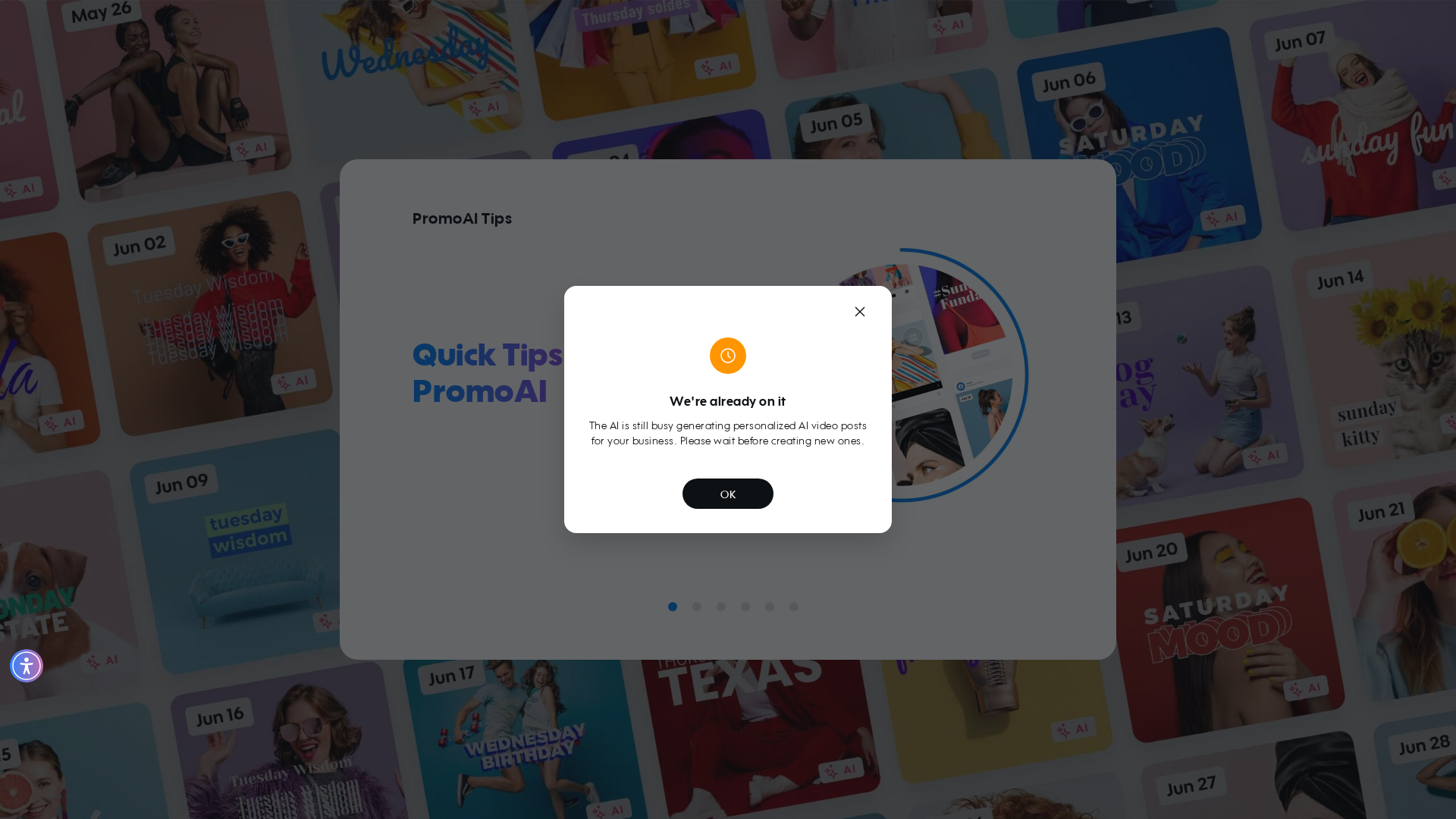
❌ Error:
self = <tests.test_autopilot.TestAutopilot object at 0x7f26be163d00> autopilot_page = <pages.autopilot_page.AutopilotPage object at 0x7f26bc129a50> login_page = <pages.login_page.LoginPage object at 0x7f26bc129c30> base_url = 'https://promo.com', button_key = 'upload_to', option = 'voice' @pytest.mark.skip_smoke @pytest.mark.parametrize("button_key,option", [ ("export", "cbe"), ("upload_to", "voice"), ("embed", "regenerate"), ]) def test_a09_redirect_to_publish_page_via_preview_buttons( self, autopilot_page, login_page, base_url, button_key, option ): """ A09 Verify user is redirected to the publish page when using planner preview buttons Feature scenario (Scenario Outline): Given AI user is logged in When I open Planner Then I generate AI posts if needed When I click on 4 AI Post When I click the "<button>" button in the dropdown Then Video is being rendered Then New tab with Publish Page is opened When I open Planner via link When I click on 4 rendered AI Post Then I check that "<option>" is not available Then I remove the rendered post Examples: export/cbe | upload_to/voice | embed/regenerate """ login_page.login_directly(base_url, email_ai, get_password()) autopilot_page.go_to_planner(base_url) > autopilot_page.ensure_ai_posts_exist() tests/test_autopilot.py:413: _ _ _ _ _ _ _ _ _ _ _ _ _ _ _ _ _ _ _ _ _ _ _ _ _ _ _ _ _ _ _ _ _ _ _ _ _ _ _ _ pages/autopilot_page.py:457: in ensure_ai_posts_exist self.wait_for_posts_generated(timeout=360_000) pages/autopilot_page.py:545: in wait_for_posts_generated self.page.locator(self.PLANNER_AI_BADGE).first.wait_for( /usr/local/lib/python3.10/dist-packages/playwright/sync_api/_generated.py:20539: in wait_for self._sync( /usr/local/lib/python3.10/dist-packages/playwright/_impl/_loca
self = <tests.test_autopilot.TestAutopilot object at 0x7f26be163d00> autopilot_page = <pages.autopilot_page.AutopilotPage object at 0x7f26bc129a50> login_page = <pages.login_page.LoginPage object at 0x7f26bc129c30> base_url = 'https://promo.com', button_key = 'upload_to', option = 'voice' @pytest.mark.skip_smoke @pytest.mark.parametrize("button_key,option", [ ("export", "cbe"), ("upload_to", "voice"), ("embed", "regenerate"), ]) def test_a09_redirect_to_publish_page_via_preview_buttons( self, autopilot_page, login_page, base_url, button_key, option ): """ A09 Verify user is redirected to the publish page when using planner preview buttons Feature scenario (Scenario Outline): Given AI user is logged in When I open Planner Then I generate AI posts if needed When I click on 4 AI Post When I click the "<button>" button in the dropdown Then Video is being rendered Then New tab with Publish Page is opened When I open Planner via link When I click on 4 rendered AI Post Then I check that "<option>" is not available Then I remove the rendered post Examples: export/cbe | upload_to/voice | embed/regenerate """ login_page.login_directly(base_url, email_ai, get_password()) autopilot_page.go_to_planner(base_url) > autopilot_page.ensure_ai_posts_exist() tests/test_autopilot.py:413: _ _ _ _ _ _ _ _ _ _ _ _ _ _ _ _ _ _ _ _ _ _ _ _ _ _ _ _ _ _ _ _ _ _ _ _ _ _ _ _ pages/autopilot_page.py:457: in ensure_ai_posts_exist self.wait_for_posts_generated(timeout=360_000) pages/autopilot_page.py:545: in wait_for_posts_generated self.page.locator(self.PLANNER_AI_BADGE).first.wait_for( /usr/local/lib/python3.10/dist-packages/playwright/sync_api/_generated.py:20539: in wait_for self._sync( /usr/local/lib/python3.10/dist-packages/playwright/_impl/_loca
📸 Failure Screenshot:
test_a09_redirect_to_publish_page_via_preview_buttons[chromium-embed-regenerate]
passed
⏱️ Duration: 29.61s
test_a10_create_new_with_topic[chromium]
passed
⏱️ Duration: 6.48s
test_a11_create_new_with_website[chromium]
passed
⏱️ Duration: 11.88s
test_a12_create_new_with_amazon_product[chromium-amazon.com/dp/B0BRH2RNHX]
passed
⏱️ Duration: 6.25s
test_a12_create_new_with_amazon_product[chromium-https://www.airbnb.com/rooms/1402655494806905338]
passed
⏱️ Duration: 7.31s
×
![]()